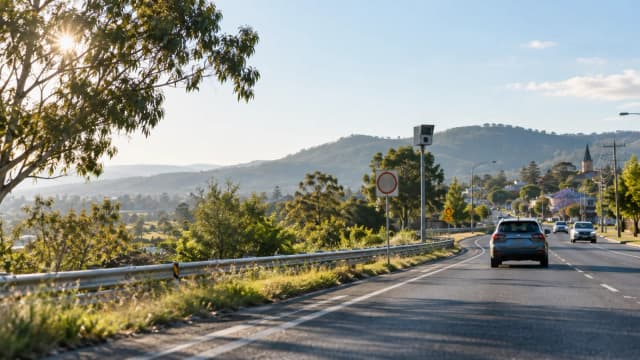
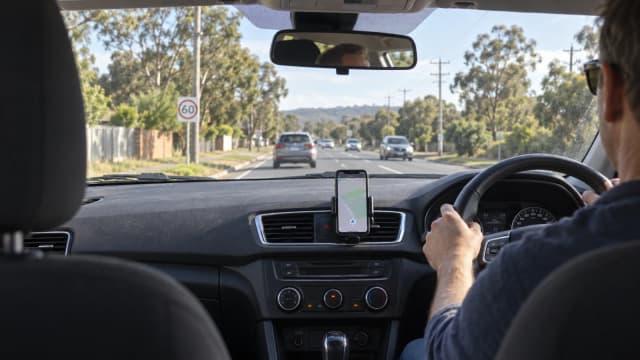
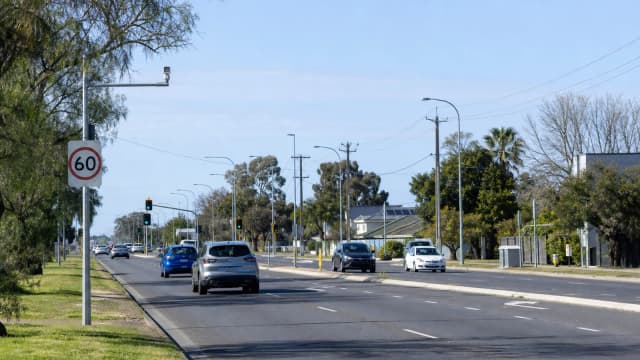
To check mobile speed camera locations today, start with your state or territory’s official road safety camera page, police page or open data portal, not social media posts. Some places publish approved mobile sites, some publish weekly selected locations, and others show camera networks rather than a live list of every van or trailer currently operating.
This guide presents general information. Check current official road rules and follow every posted sign.
Where to check mobile speed camera locations today
The most reliable place to check speed camera locations today is the official source for the state or territory where you are driving. In Australia, speed camera programs are run under state and territory laws, so there is no single national list that shows every mobile, fixed, red light and average speed camera in real time.
For mobile cameras, the key point is that many official pages show approved sites or selected locations rather than a live deployment feed. A camera may be approved for a road or suburb but not operating there at the moment you pass. Equally, police roadside enforcement can occur separately from published camera lists.
Before a trip, check the relevant government camera page, review your route and set any legal navigation or alert tools while parked. The Speed Camera Radar Detector app can be used as a planning aid before driving, but no app or list should be treated as complete or guaranteed.
- Use official state or territory pages first
- Check before you drive, not while driving
- Treat mobile camera lists as planning information
- Always drive to the posted speed limit
Why “today” does not mean the same thing everywhere
Drivers often search for speed camera locations today expecting a live map, but Australian jurisdictions publish different levels of detail. South Australia publishes selected traffic safety camera locations and updates them weekly, with a clear warning that locations may change without notice. Victoria publishes approved mobile digital road safety camera locations monthly, not a minute-by-minute deployment list.
Queensland lists mobile speed camera sites through its open data arrangements and explains that cameras are randomly deployed to approved sites to increase unpredictability. NSW provides an official tool for checking speed camera locations by location, road and camera type, including mobile speed cameras, but the practical value is still route planning rather than knowing the exact operating schedule of every unit.
The ACT publishes camera location information and says mobile speed camera vans are deployed across approved locations according to risk, harm, data and speed compliance factors. Tasmania explains that mobile cameras can be moved around the state and may be located anywhere at any time at approved locations. In Western Australia, the official page lists fixed and other camera locations and notes that roads are covered by a network of fixed and mobile speed cameras, with locations able to change without notice.
Checking by state or territory
In New South Wales, search the official NSW speed camera location tool if you are looking for mobile speed camera locations NSW, fixed cameras or red light speed cameras. It is useful for checking whether a road or suburb is included in the camera program, especially before longer trips through Sydney, regional centres or school zones.
In Victoria, check the Victorian Government’s approved mobile digital road safety camera locations list for the current month. The list covers more than just central Melbourne, and Victoria Police decides where and when cameras are used. In Queensland, check the government speed and red light camera locations information, including the mobile speed camera sites published through the Open Data Portal.
In South Australia, check the official mobile camera locations page for metropolitan and country areas. It is one of the clearest examples of a state publishing dated selected locations, but it still warns that locations may change without notice. In the ACT, use the ACT road safety camera program information and the government camera location data for fixed, red light, point-to-point and mobile speed cameras.
In Tasmania, official guidance is more focused on how mobile cameras are selected and deployed than on a daily public list. In Western Australia, use the WA Government and WA Police camera location information for fixed red light and speed cameras, and remember that mobile enforcement is part of the broader road safety camera network. In the Northern Territory, official information lists fixed speed and red light camera locations, while mobile cameras are operated by NT Police.
- NSW: official speed camera location tool
- Victoria: monthly approved mobile camera list
- Queensland: camera locations and open data
- South Australia: weekly selected mobile locations
- ACT: camera program and location data
- Tasmania, WA and NT: official camera program pages
What speed camera locations can and cannot tell you
Published speed camera locations can help you understand high-risk corridors, regular enforcement areas and the types of cameras used on your route. They are especially useful when planning unfamiliar drives, such as interstate trips, regional holidays, airport runs or long highway sections where speed limits change.
What they cannot do is confirm that a mobile camera is operating at a specific place at the exact time you arrive. Mobile cameras are designed to be movable. Some are operated from vehicles, some from trailers and some may be used in locations where fixed cameras are not practical. The absence of a road from a list also does not mean police cannot enforce speed limits there by other lawful methods.
Use camera information as a reminder to slow down early, leave more following distance and watch for speed limit changes. Do not rely on sudden braking near known sites. That behaviour increases crash risk and can be dangerous for the drivers behind you.
How mobile camera sites are usually chosen
Official explanations across Australia commonly point to road safety risk rather than random revenue collection. Typical selection factors include crash history, the severity of crashes, speeding behaviour, community complaints, traffic volumes, road design and whether a location can safely support camera operation.
Queensland says crash history is the primary reason for selecting mobile speed camera sites, while Victoria gives highest priority to locations with high crash rates, a history of trauma, validated speeding complaints or where other enforcement options are not suitable. Tasmania’s criteria include crash history, road features that increase crash risk and operational speed levels.
South Australia says SA Police determines mobile camera locations using intelligence and other factors to calculate a road safety risk rating. The ACT also describes a risk and harm-based approach, using data and identified levels of non-compliant vehicle speeds. The practical message is simple: locations tend to be chosen because speeding is a known or likely safety problem.
- Crash history
- Speeding patterns
- Road layout and traffic volume
- School zones and roadworks
- Community safety concerns
- Safe operating space for camera crews or trailers
Safe and legal ways to use camera information
The safest way to use speed camera locations is before you start driving. Check your route while parked, note likely enforcement corridors, and give yourself enough time so you are not tempted to speed. If a passenger is navigating, they can handle route information, but the driver should not interact with a phone while driving.
Camera warnings are not a substitute for reading the road. Speed limits can change because of school zones, roadworks, weather, lane closures and local traffic conditions. A navigation alert may lag behind a changed limit, and a government list may be updated on a schedule rather than instantly.
Rules about radar detectors, laser jammers and similar devices vary by jurisdiction and can be strict. This article is general road safety information, not legal advice. If you use any driver assistance or alert product, make sure it is lawful where you are driving and set it up before you move off.
Quick checklist before you drive
If you only have a minute, check the official camera page for your state or territory, then plan to stay comfortably within the limit for the whole trip. The goal is not to brake for cameras. It is to avoid speeding in the first place, especially on roads with crash history, changing limits or heavy pedestrian and school traffic.
For interstate drives, check each jurisdiction separately. A road trip from Brisbane to Sydney, Melbourne to Adelaide or Perth to the South West may cross areas with different camera types, signs, enforcement practices and published location information.
- Check the official source for your state or territory
- Look for mobile, fixed, red light and average speed cameras
- Remember that mobile deployment can change without notice
- Set route alerts before driving
- Watch for school zones and roadworks
- Drive to the posted limit, even when no camera is listed
A simple pre-drive checklist
- Set the route and alerts before moving.
- Check the first posted limit after every major turn.
- Leave enough space to adjust without abrupt braking.
- Use official sources when a rule affects your licence.